For programmers, the keyboard is more than just a peripheral—it’s a daily tool for productivity, comfort, and speed. Typing thousands of lines of code requires a keyboard that’s not only durable but also responsive and satisfying to use. That’s where mechanical keyboards come in.
In this 2025 review, we highlight the top mechanical keyboards for programmers, considering key factors like switch type, ergonomics, build quality, key layout, and customization options.
Why Mechanical Keyboards Are Ideal for Programmers
Mechanical keyboards offer several advantages over membrane ones:
- Tactile Feedback: Provides a satisfying “clicky” feel or a silent bump depending on the switch.
- Durability: Mechanical switches last 50–100 million keystrokes.
- Customizability: Programmers can remap keys, program macros, and replace keycaps.
- Typing Speed and Accuracy: Helps reduce typing fatigue during long coding sessions.
Top Mechanical Keyboards for Programmers in 2025
1. Keychron Q1 Pro
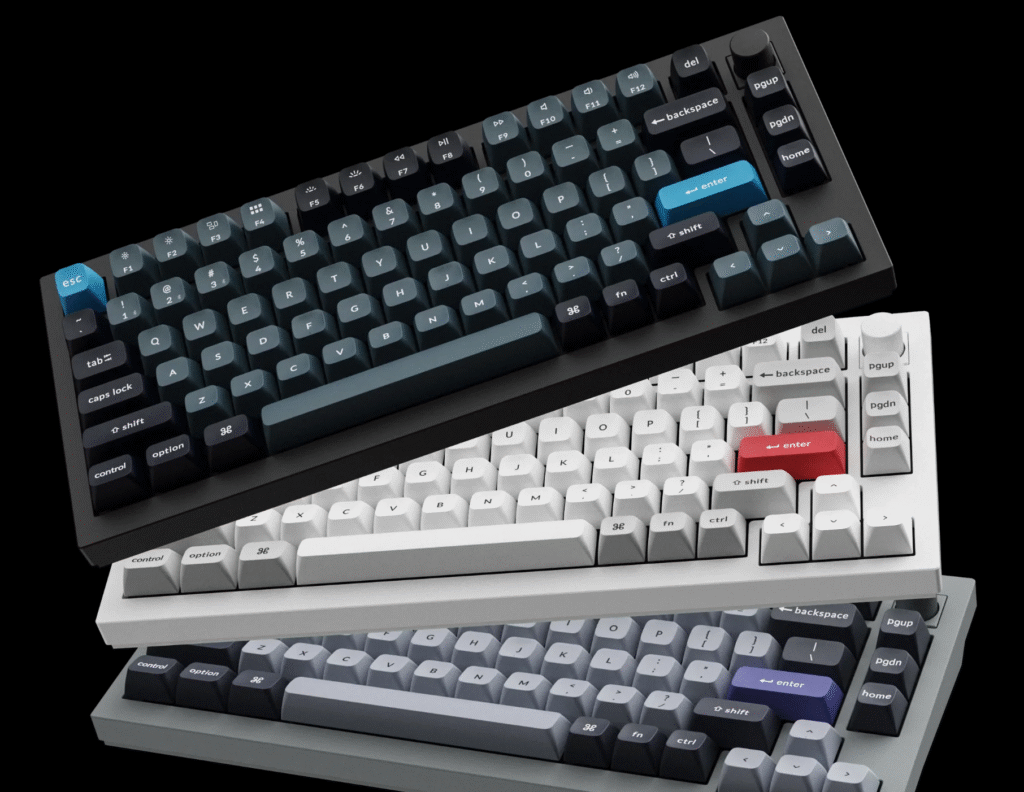
Best for Mac and Windows Cross-Compatibility
- Switches: Gateron G Pro (Hot-swappable)
- Layout: 75% compact with function row
- Features: Wireless (Bluetooth 5.1), RGB lighting, programmable with VIA
- Price: $199
The Keychron Q1 Pro is ideal for coders who switch between Windows, macOS, or Linux. Its aluminum build and gasket-mounted design offer a premium typing experience, and it’s compatible with QMK/VIA for extensive key mapping.
Pros:
- Great build quality
- VIA-compatible
- Wireless and wired modes
Cons:
- On the heavier side
- Slightly pricey
2. Das Keyboard 4 Professional
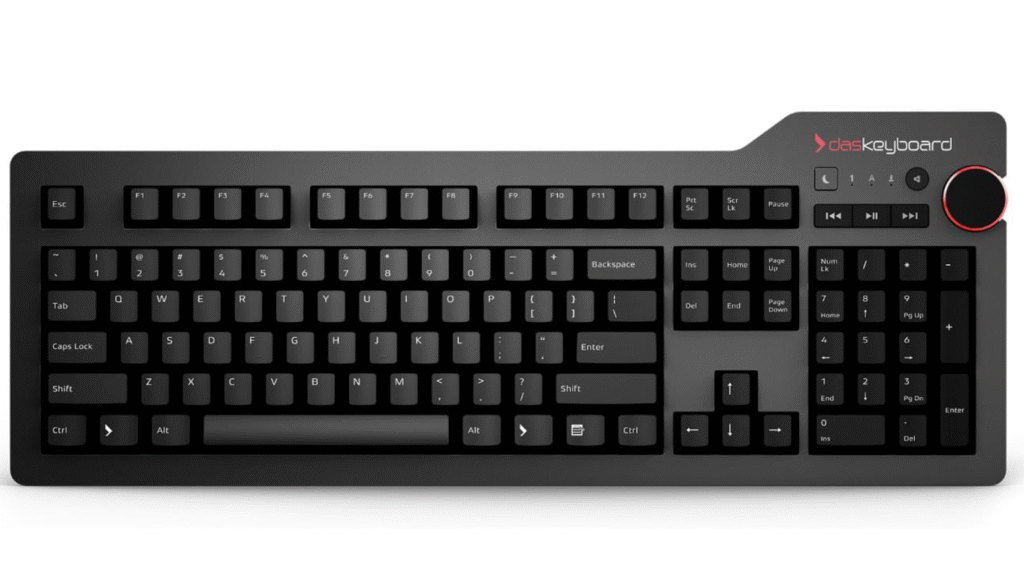
Best for Traditional Office Setup
- Switches: Cherry MX Brown or Blue
- Layout: Full-size with media controls
- Features: Dedicated volume knob, USB hub
- Price: $169
Das Keyboard 4 Professional is a no-nonsense keyboard designed for long-term use. It blends tactile feedback with a professional look and adds conveniences like media controls and USB passthrough.
Pros:
- Comfortable for prolonged use
- Integrated USB 3.0 hub
- Tactile typing feel
Cons:
- No backlight
- Not hot-swappable
3. ErgoDox EZ
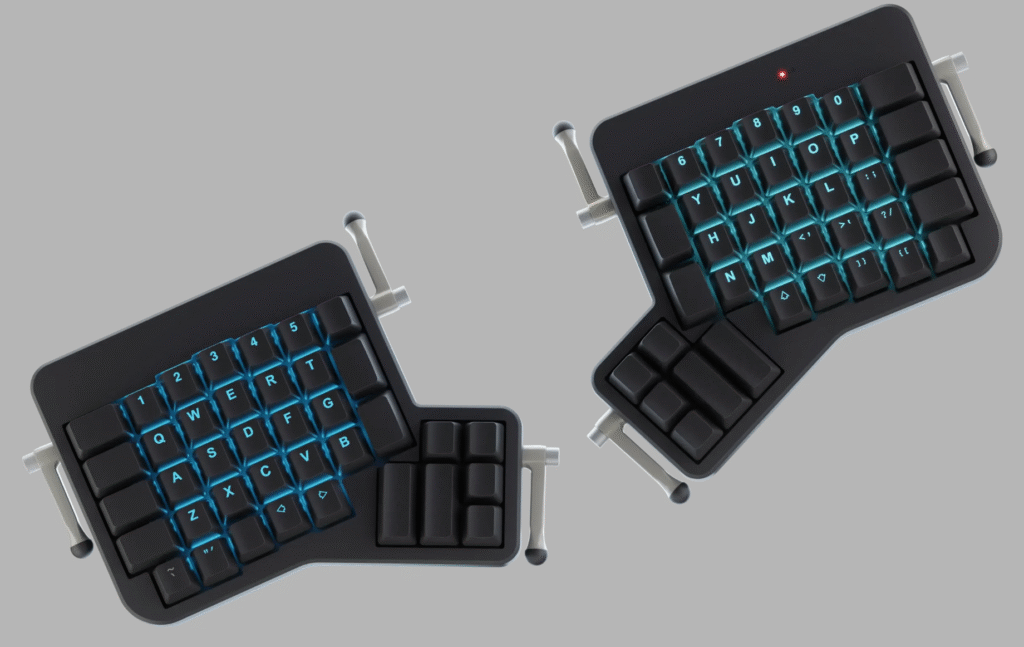
Best Ergonomic Option
- Switches: Customizable (Cherry, Kailh, Gateron, etc.)
- Layout: Split ergonomic
- Features: Fully programmable, RGB, tenting kit
- Price: $324+
If ergonomics is a priority, the ErgoDox EZ is unmatched. With a split layout, tenting options, and open-source firmware (QMK), this keyboard minimizes wrist strain and allows for complete programming flexibility.
Pros:
- Reduces RSI risk
- Fully programmable
- Supports macros and layers
Cons:
- Steep learning curve
- Expensive
4. Leopold FC750R
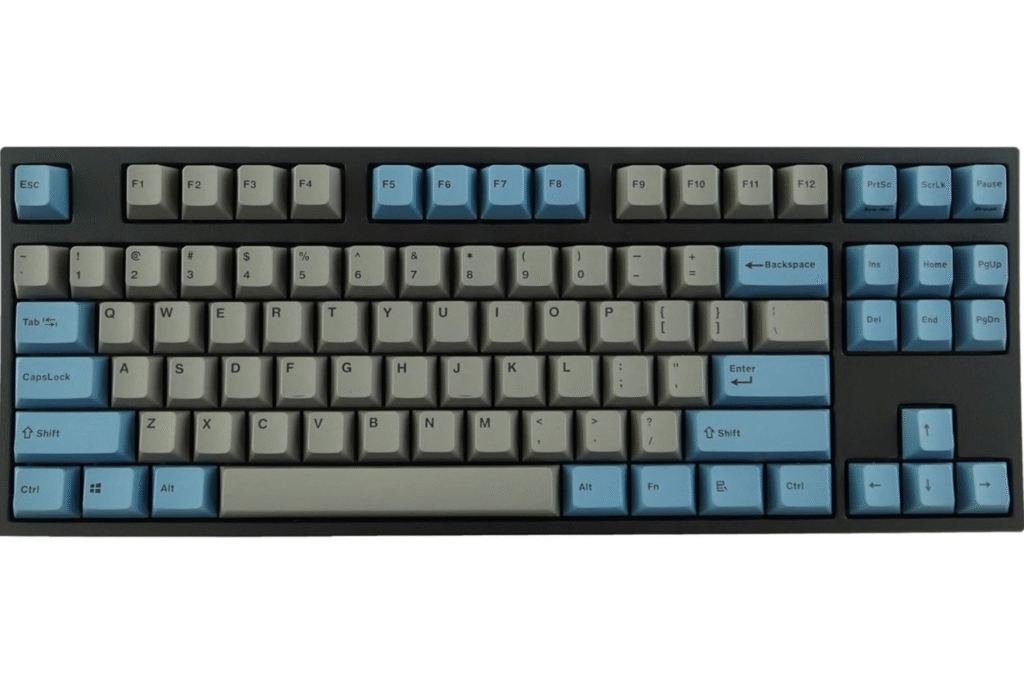
Best for Quiet Typing and Minimalism
- Switches: Cherry MX (various types)
- Layout: TKL (Tenkeyless)
- Features: PBT keycaps, sound dampening
- Price: $129
Leopold keyboards are known for their understated look and quiet operation. The FC750R is a great pick for shared workspaces or minimal setups, with high-quality keycaps and smooth typing.
Pros:
- Quiet switches available
- Durable PBT keycaps
- Compact without sacrificing function
Cons:
- No backlighting
- Not wireless
5. Drop CTRL
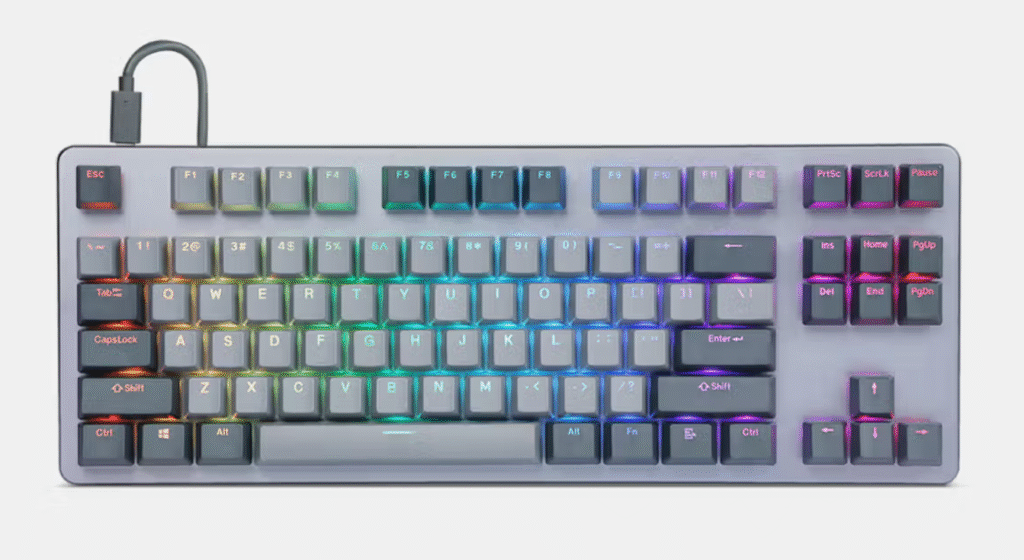
Best for Customization Enthusiasts
- Switches: Hot-swappable (variety of MX-style)
- Layout: Tenkeyless
- Features: RGB lighting, aluminum frame, QMK firmware
- Price: $199
The Drop CTRL is favored by developers who love customizing every detail. From switches to keycaps to firmware, everything is configurable. It’s sturdy, sleek, and highly responsive.
Pros:
- Fully customizable
- Premium build
- Hot-swappable switches
Cons:
- No wireless support
- High learning curve for QMK
6. Kinesis Advantage360
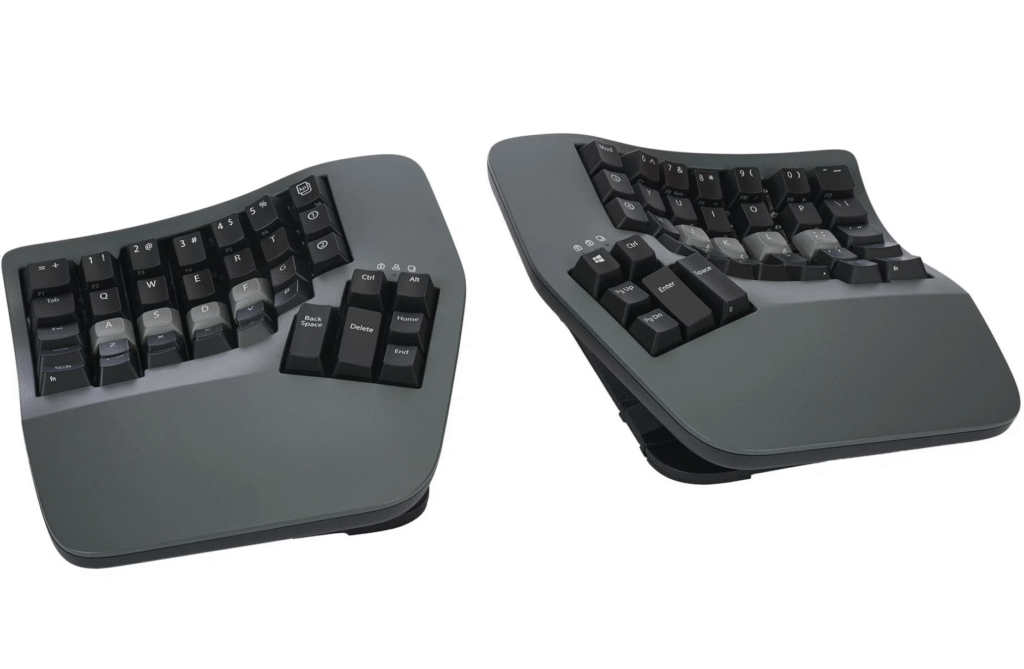
Best for Productivity and Ergonomics Combined
- Switches: Kailh Box or Cherry MX
- Layout: Split ortholinear
- Features: Bluetooth, QMK/VIA support, ergonomic curves
- Price: $419+
Aimed at professionals coding 8+ hours a day, the Advantage360 offers an ergonomic curved key layout with customizable layers and wireless capabilities.
Pros:
- Highly ergonomic
- Layer programming and macros
- Wireless option
Cons:
- Very expensive
- Non-traditional layout takes time to adapt
What to Consider Before Buying
Switch Type
- Tactile (e.g., Brown): Balanced feedback without too much noise
- Clicky (e.g., Blue): Audible click, not ideal for shared spaces
- Linear (e.g., Red): Smooth, no bump, preferred by gamers and fast typists
Form Factor
- Full-size: Includes numpad, great for data-heavy work
- Tenkeyless (TKL): Saves desk space
- 60%/75%: Compact and portable
- Split/Ergonomic: Better for wrist and shoulder health
Hot-Swappable Support
Lets you change switches without soldering, ideal for trying different feels.
Software Customization
Keyboards that support QMK, VIA, or proprietary software allow for macros, remapping, and layers.
Wireless vs Wired
Wireless offers more flexibility, but wired is more stable—important for coding sessions.
Final Verdict
Choosing the best mechanical keyboard depends on your priorities:
- For all-round performance: Keychron Q1 Pro
- For ergonomics: Kinesis Advantage360 or ErgoDox EZ
- For traditional feel: Das Keyboard 4 Pro
- For quiet coding: Leopold FC750R
- For modding: Drop CTRL
A great keyboard won’t write the code for you, but it can make long hours more productive and enjoyable.
Conclusion
Investing in a quality mechanical keyboard is one of the smartest moves a programmer can make. It improves typing experience, reduces fatigue, and even boosts coding efficiency. Whether you value ergonomics, aesthetics, or customizability, there’s a keyboard for you on this list.