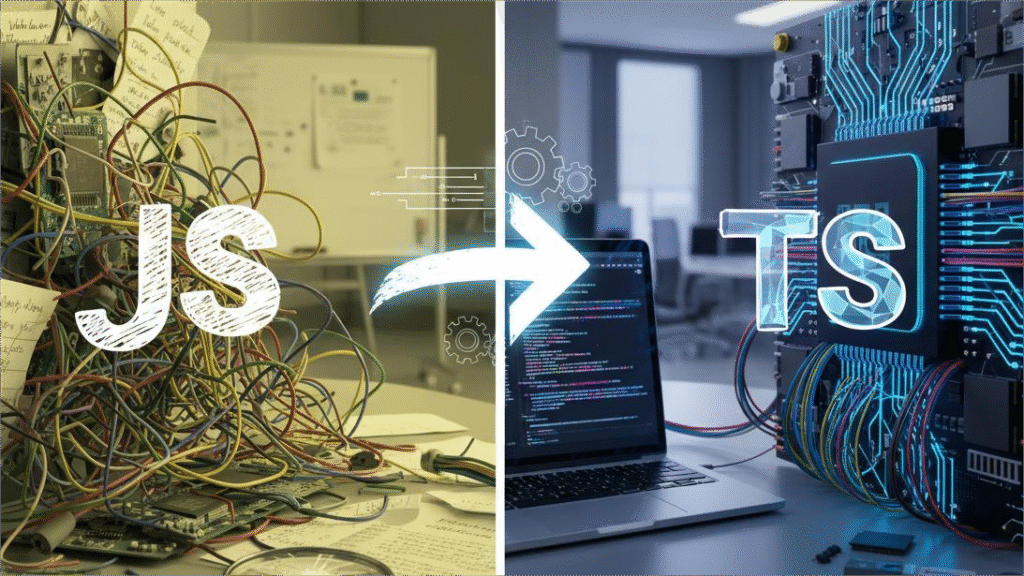
In recent years, artificial intelligence (AI) has moved far beyond experimental side-projects and is now deeply integrated into software development workflows. From code generation and auto-completion to intelligent testing and debugging, AI-powered development tools are shaping the future of how software is built. In this article, we’ll explore why these tools matter, highlight key categories of functionality, present leading platforms you should know, examine benefits and challenges, and offer practical guidance for teams and individual developers.
Why AI-Powered Development Tools Matter
The shift toward AI in software development isn’t just hype. There are several strong reasons why adopting AI-powered tools is now both viable and advantageous:
- Speed and productivity gains: According to a roundup by DigitalOcean, AI web development tools “reduce coding time, improve design elements, and heighten overall user experience.” DigitalOcean
- Improved code quality & maintainability: AI tools assist with refactoring, suggestions for best practices, and automated test generation, thus helping reduce technical debt. Qodo+1
- Broadening developer capability: These tools help less-experienced developers, or cross-discipline engineers, to produce higher quality outputs and accelerate onboarding. For example, one review states that tools analysed “are transforming the way we approach programming” by enabling code generation and reviews. pieces.app
- Better integration into modern workflows: With growth of continuous integration (CI), automated testing, collaboration tools, and multi-language codebases, AI becomes a force-multiplier for teams.
- Emerging autonomy in tools: Research such as the “AutoDev” framework shows AI agents that can not only suggest code but edit files, run tests, operate Git commands — signaling a matured ecosystem. arXiv
Given these drivers, developers and teams ignoring AI-powered tools may be missing out on meaningful productivity and quality gains.
Key Categories of AI Development Tools
While many tools overlap, you can broadly group AI-powered development tools into the following categories:
- Code generation / auto-completion assistants
These assist by writing snippets of code, auto-completing based on context, or generating entire functions from natural-language prompts. - Code review, refactoring & testing assistants
These tools inspect existing code, suggest improvements, identify bugs/vulnerabilities, generate unit tests, and help with documentation. - AI-first editors and IDEs
Instead of being add-ons, some editors embed AI at their core — enabling advanced workflows like multi-file refactoring, context awareness, chat-based assistance within the IDE. - No-code / low-code AI-powered platforms
For front-end or web development, these tools allow developers (or non-developers) to generate interfaces, web apps, or entire pages using AI, reducing the need for manual code. - Workflow automation & agentic systems
These extend beyond simple prompts: AI agents that plan tasks, coordinate sub-agents, integrate with build/test/deploy pipelines, and in some cases act autonomously. (As research indicates.)
Understanding which category your project needs helps choose the right tool and manage expectations.
Leading AI Development Tools You Should Know
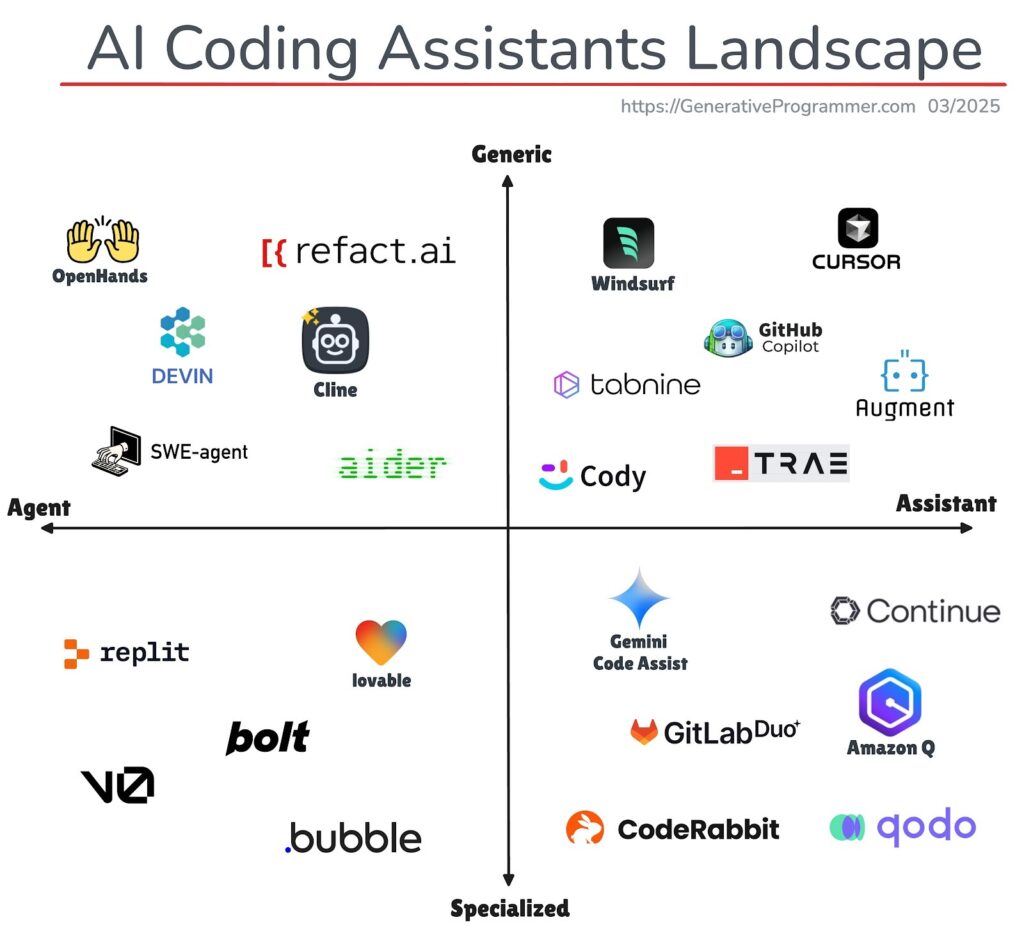
Here are some of the standout platforms and tools in 2025. Each has distinct strengths:
GitHub Copilot
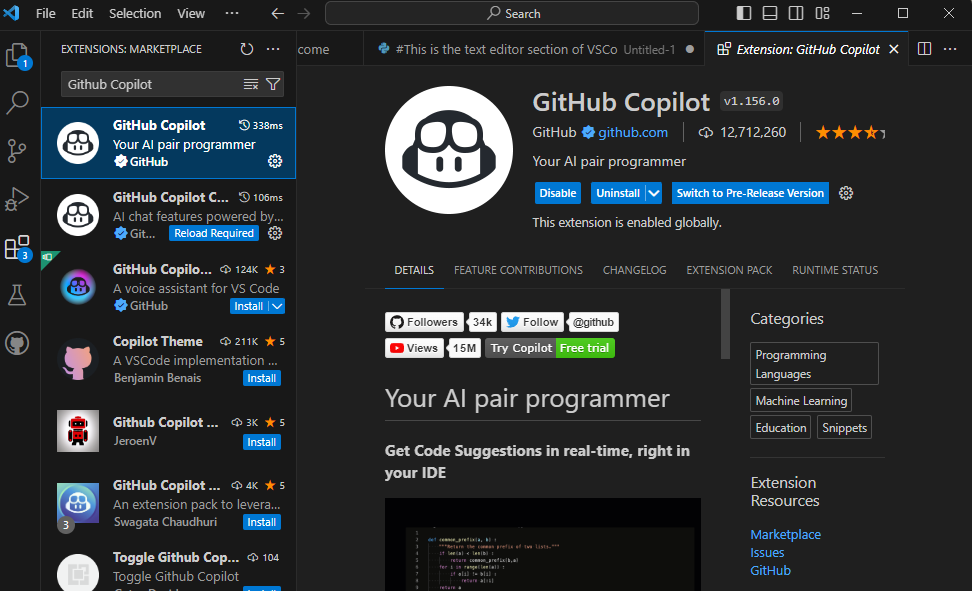
Perhaps the best-known AI coding assistant, Copilot supports multiple programming languages and integrates with popular IDEs like Visual Studio Code. According to LeadDev, it’s “explicitly designed to be capable of writing functional code in languages like Python, JavaScript, Go, PHP, Ruby, and Swift.” LeadDev
Key strengths:
- Real-time code suggestions based on comments and context
- Integration into developer workflows via IDE plugins
- Broad language and framework support
Considerations: - While powerful, human review remains essential (AI-generated code may have subtle issues)
- Licensing/costs may apply for teams or enterprise use
Tabnine
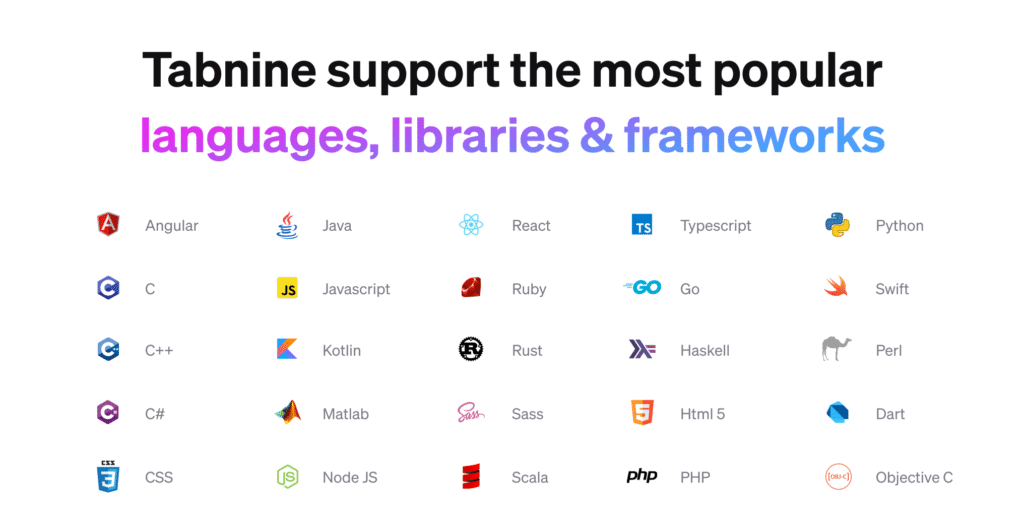
Tabnine focuses on AI-based code suggestions across multiple languages and IDEs (including Sublime, Eclipse, Neovim, Android Studio). As one article notes: “Tabnine… can adapt to your style of coding and suggest accordingly.” pieces.app
Strengths:
- Flexible across editors
- Learns from your code style
Considerations: - Might require some setup/training for best results in team contexts
- Subscription needed for full feature set
Cursor
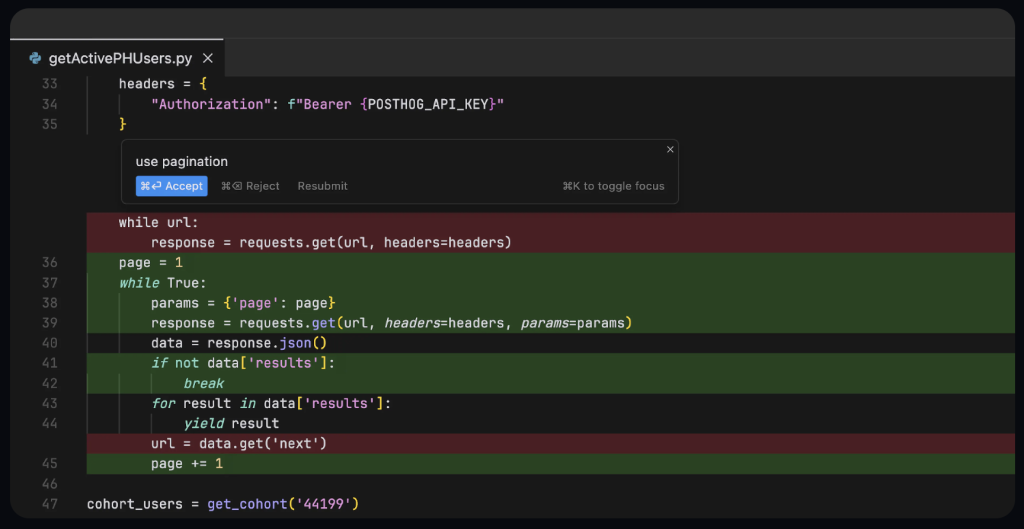
An example of an AI-first editor (category #3 above). As Vue Mastery describes: “Cursor: is a powerful code editor built with AI features at its core … it lets you select your preferred AI agent.” Vue Mastery
Strengths:
- Tailored for deep AI integration
- Can handle multi-file context, not just line-by-line completions
Considerations: - Being more niche, community and support may be less mature than mainstream IDEs
- May require migration/training for existing teams
Qodo
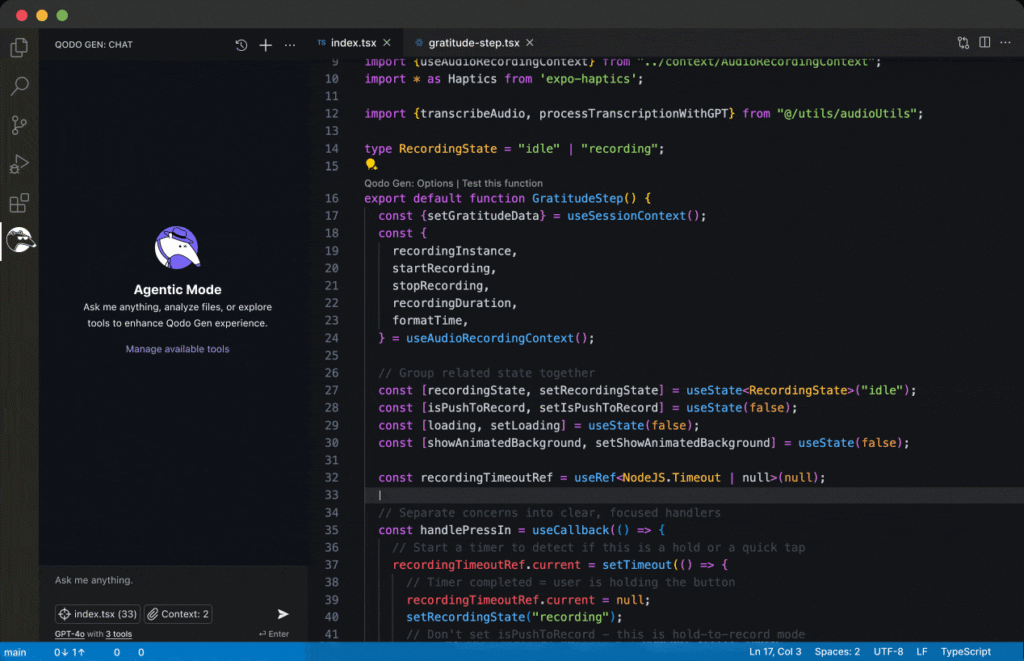
Qodo is an emerging AI platform that spans full SDLC (software development life-cycle) activities: from code generation, test generation, code review and automated code documentation. Qodo+1
Strengths:
- Holistic coverage: code gen + testing + review
- Enterprise-grade integrations and code-base awareness
Considerations: - Might be more suited for teams/enterprises than individual hobbyist developers
- Newer platform — evaluate maturity and compatibility with your stack
No-Code / Front-End AI Tools (e.g., for Web Development)
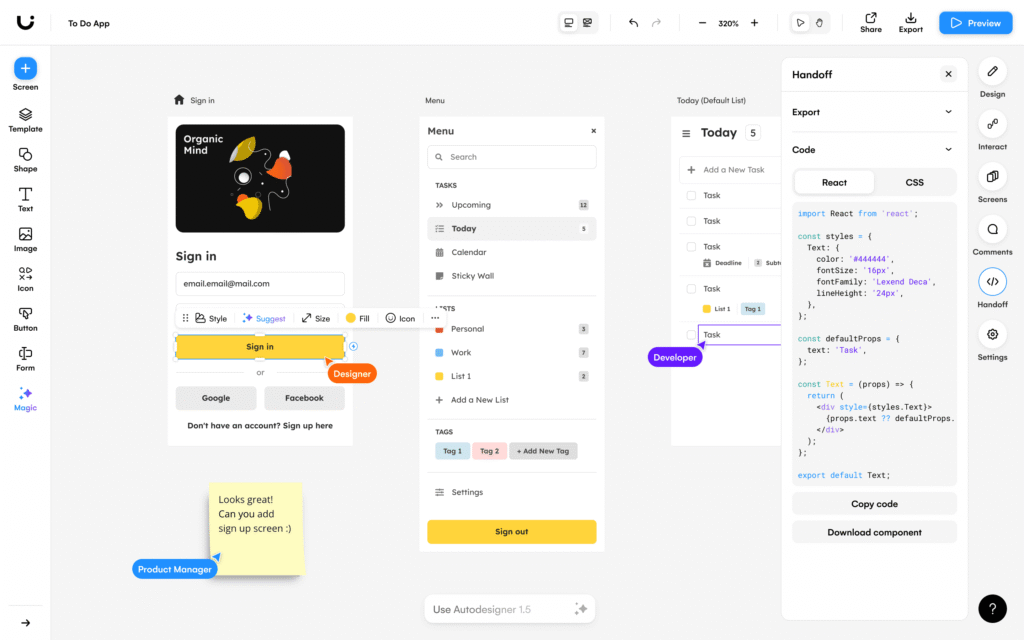
As per DigitalOcean’s article: Tools such as “Uizard” and “Wix ADI” are examples of how AI can automate aspects of web development, from layout to styling to code generation. DigitalOcean
Strengths:
- Great for prototyping, MVPs, rapid front-end builds
- Low code required — good for designers/developers hybrid
Considerations: - Might not fit complex back-end logic or large scale systems
- Generated code may still require refactoring and review
Benefits & Challenges of Adopting AI Tools
Benefits
- Faster time-to-market: By reducing boilerplate work and auto-generating parts of the codebase, teams can focus more on design, architecture and domain logic.
- Higher codebase consistency: AI tools can enforce patterns, suggest better code practices, and surface common mistakes early.
- Enhanced developer experience: Especially for junior developers, AI assistants provide “co-pilot” help, reducing friction and ramp-up time.
- Better coverage of testing/documentation: Some tools automatically generate tests or even documentation/descriptions, improving maintainability. Pragmatic Coders
Challenges & Considerations
- Code correctness & reliability: AI suggestions are still probabilistic. They need review, especially for security, edge cases, architectural concerns.
- Technical debt risk: Poorly integrated AI tools might generate code that is hard to maintain, or introduce hidden dependencies.
- Integration with workflows: Teams must evaluate how these tools fit into CI/CD pipelines, code review workflows, existing IDEs.
- Privacy/security concerns: Using AI tools may involve sending code or context to external servers; companies must ensure compliance and data protection.
- Skill-shift for developers: Developers may need to adjust workflows: from writing everything manually to supervising/generated-code review and editing.
- Tool maturity/lock-in issues: Some solutions are new and still evolving; selecting a vendor requires evaluation of future support, open-source alternatives, and ecosystem fit.
Best Practices for Integrating AI Tools into Your Workflow
Here are practical steps and strategies for teams and individual developers who want to adopt AI-powered tools effectively:
- Start with a pilot project
Choose a non-critical module or feature and trial the AI tool to assess value, workflow fit, and team responsiveness. - Define evaluation criteria
Set metrics such as developer time saved, code review findings, test coverage improvements, developer satisfaction. - Integrate into IDE/Workflow
Choose tools that integrate with your existing editor (VS Code, IntelliJ, JetBrains) and source control practices. Seamless integration maximizes adoption. - Train/adapt to your codebase
Many AI tools improve when they understand your codebase structure, naming conventions, and patterns. Invest small time to provide context. - Enforce human-in-the-loop reviews
AI suggestions should undergo peer review, especially for business logic, security, architectural components. AI is an assistant, not a replacement for judgment. - Monitor for generated-code quality
Review generated code for maintainability, readability, testability and conformity with team style guides. - Address privacy/security
Confirm that the AI tool handles code safely, complies with your organization’s data protection policies, and stores minimal sensitive context. - Iterate and scale
As value becomes visible (less boilerplate, fewer bugs, faster feature delivery), expand use to larger modules, team onboarding and CI/CD integration. - Educate your team
Provide training so developers know how to best prompt AI tools, review generated suggestions, and avoid common pitfalls (e.g., over-reliance, disguised technical debt). - Balance with architectural/strategic thinking
AI tools accelerate implementation, but good architecture, system design, team communication remain critical. Don’t let tool-velocity overshadow sound foundations.
Looking Ahead: What to Expect in 2026 and Beyond
The pace of innovation in AI development tooling shows no sign of slowing. Some key trends to watch:
- Agentic AI development assistants: Research frameworks (e.g., “AutoDev”) show AI agents capable of orchestrating build, test, code-edit, commit workflows. arXiv
- Better support for multi-file, multi-module reasoning: As editors like Cursor and other AI-first IDEs mature, the AI will understand entire codebases, not just individual files.
- Integration into developer collaboration platforms: AI will be embedded further into GitHub Actions, merge-requests, project management tools, enabling auto-reviews, auto-PR summaries, risk flags.
- Improved domain-specific code generation: Expect tailored AI assistants for mobile apps, cloud infrastructure (AWS/GCP), embedded systems, where context-specific suggestions dominate.
- Ethics, governance and AI-code audit frameworks: As AI generates more of the code-base, organizations will demand clearer audit trails, bias mitigation, provenance of generated code.
- Broader adoption in non-developer roles: With no-code/low-code AI tools improving, designers, QA engineers, product managers may leverage AI development assistants even without full programming background.
- Re-skilling of developer role: The skillset will shift from writing every line of code toward “prompt engineering”, supervising generated code, architecting systems and validating outputs.
Conclusion
AI-powered development tools are no longer experimental toys but are actively reshaping how software is built, reviewed, tested and deployed. Whether you’re a solo developer looking to speed up your workflow or a tech lead aiming to equip your team for 2025 and beyond, understanding these tools (GitHub Copilot, Tabnine, Cursor, Qodo, etc.) and integrating them thoughtfully can deliver meaningful gains in productivity and quality.
That said, it’s important to adopt with caution: keep humans-in-the-loop, review generated code, ensure alignment with your architecture and code standards, and train your team accordingly.